5. Transfer RGB Assets over the Lightning Network
Step 1: Create an RGB Invoice on the Receiving Node
-
Switch the active node to the node connected to the channel you just opened.
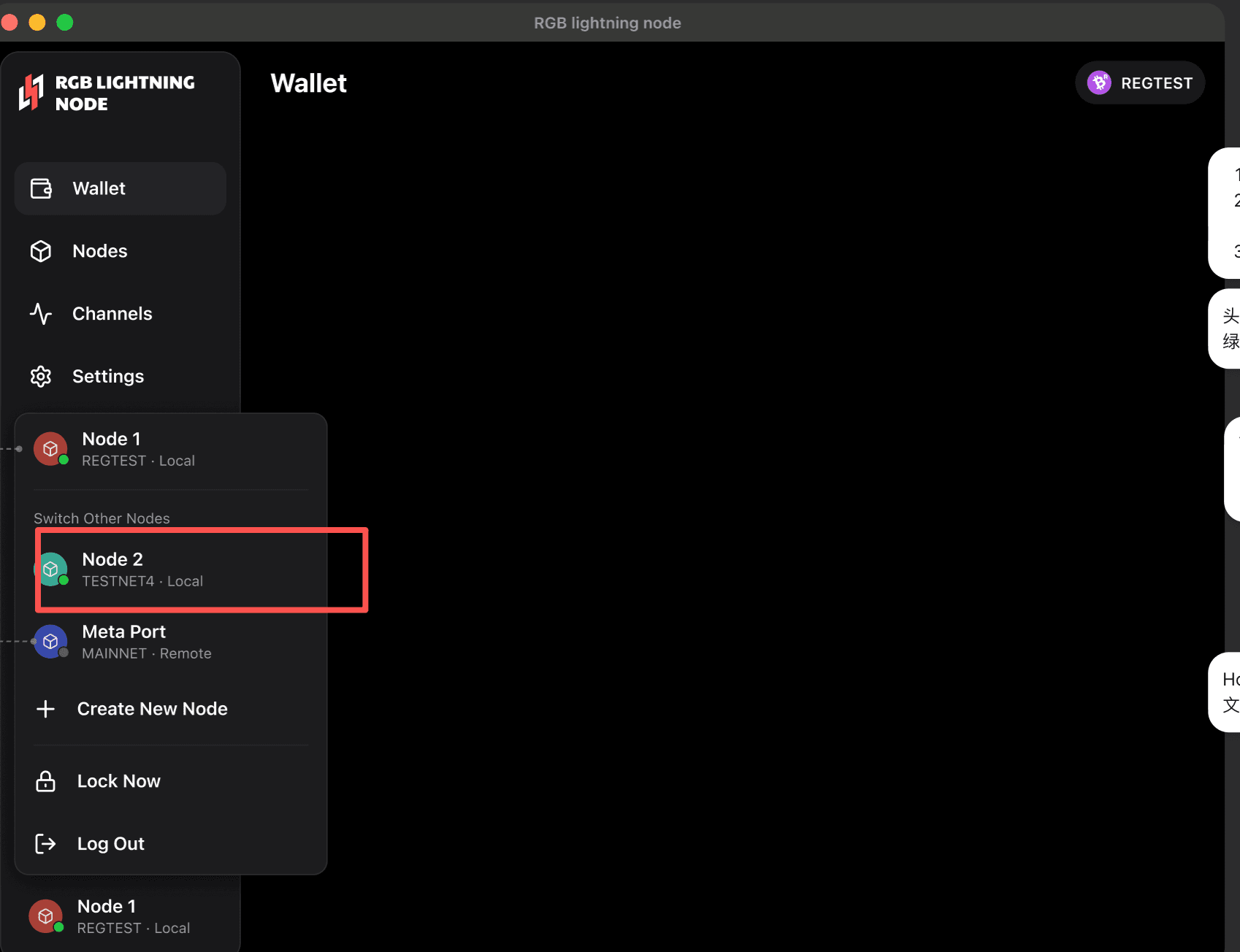
-
Go to
Receiveand select RGB Lightning Invoice. -
Fill in the following fields:
- Amount: the amount of RGB to receive
- Carrier: the BTC carrier amount required for RGB transmission. This field is required, and the minimum is typically 546 sats
-
Click
Createand copy the generated invoice string.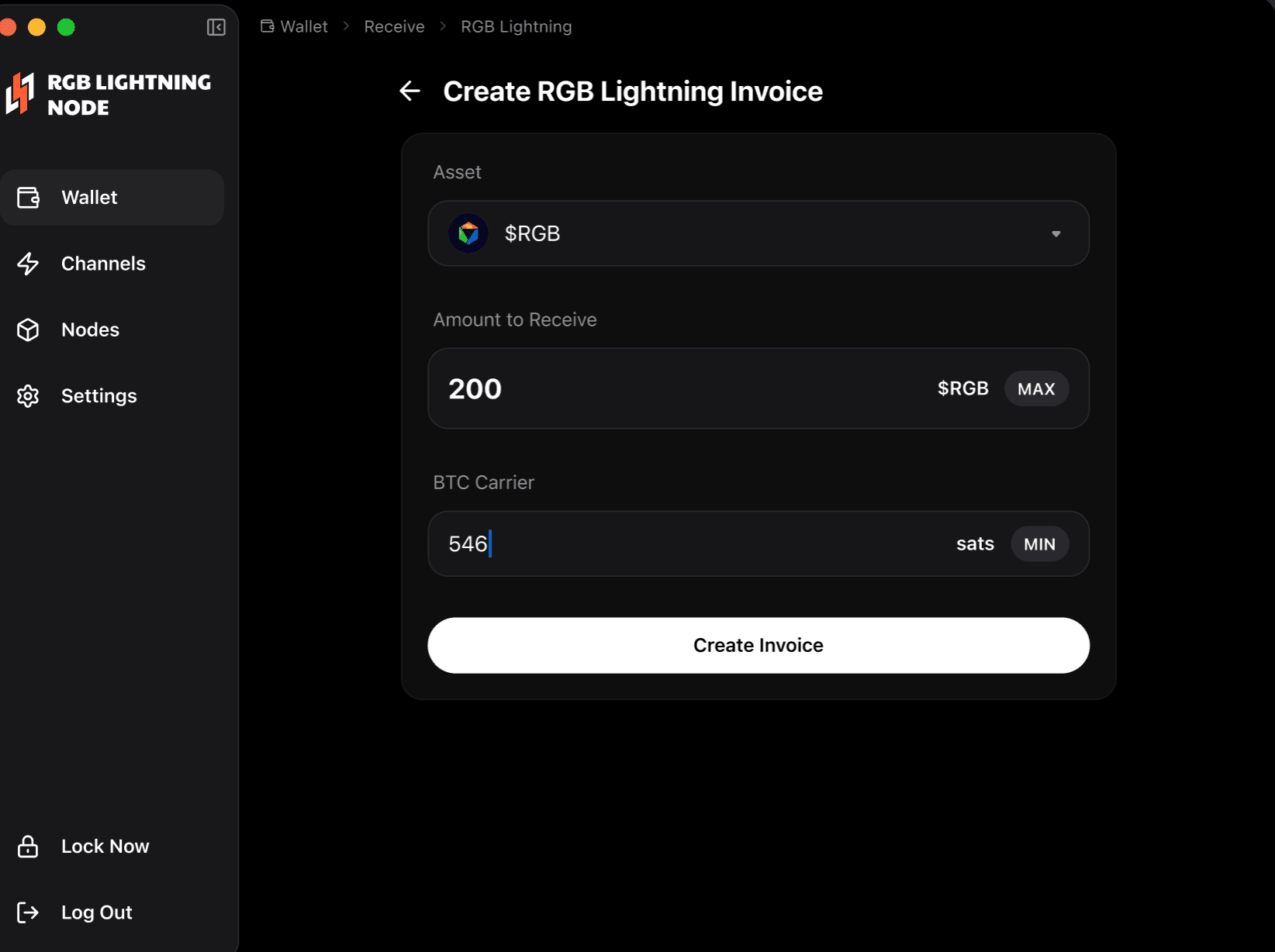
Step 2: Pay the Invoice on the Sending Node
-
Switch the active node back to the original node.
-
Go to
Send. -
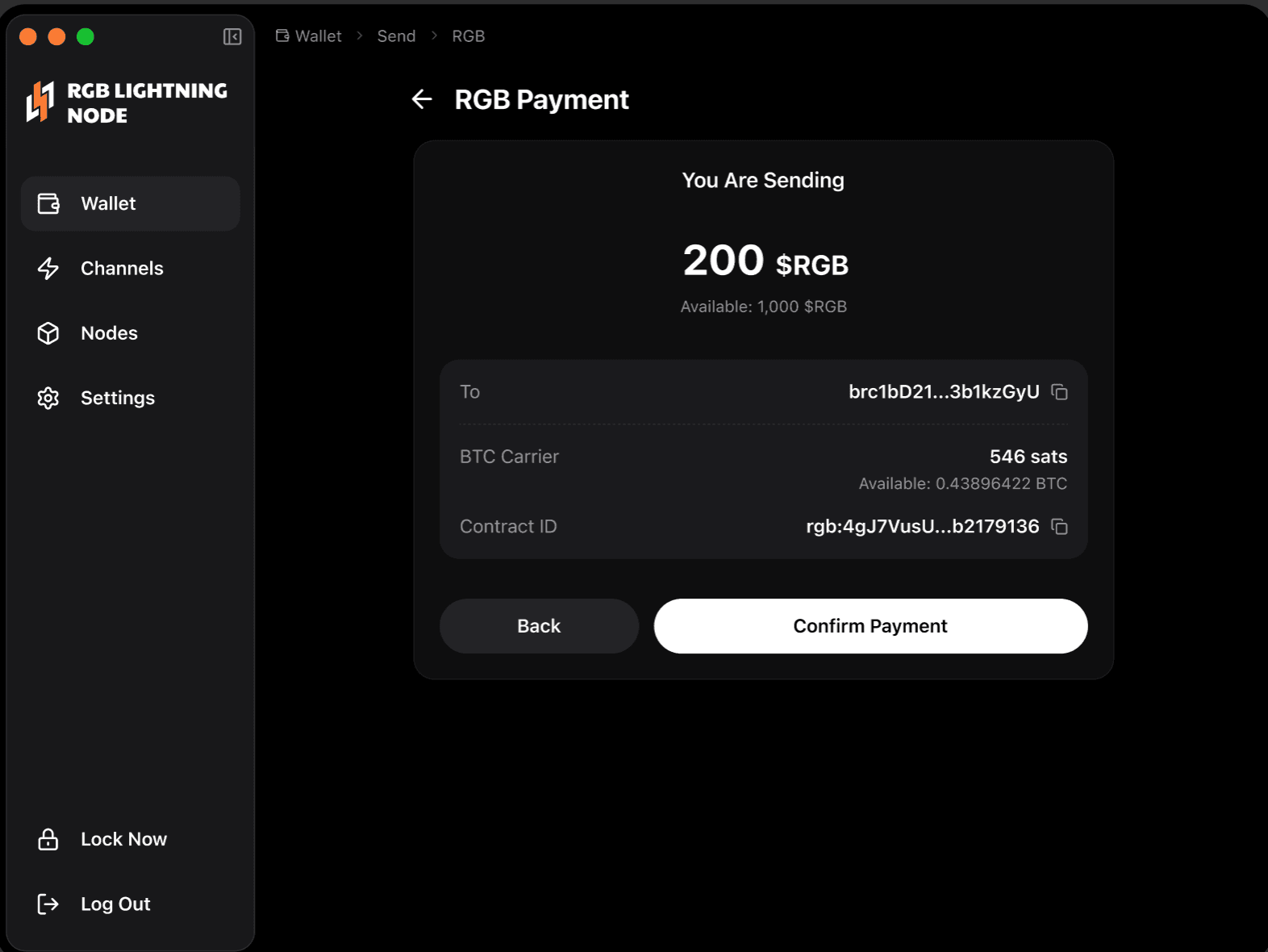
Paste the invoice string and wait for the application to parse it.
-
Verify the RGB amount and carrier sats, then click Confirm to complete the payment.
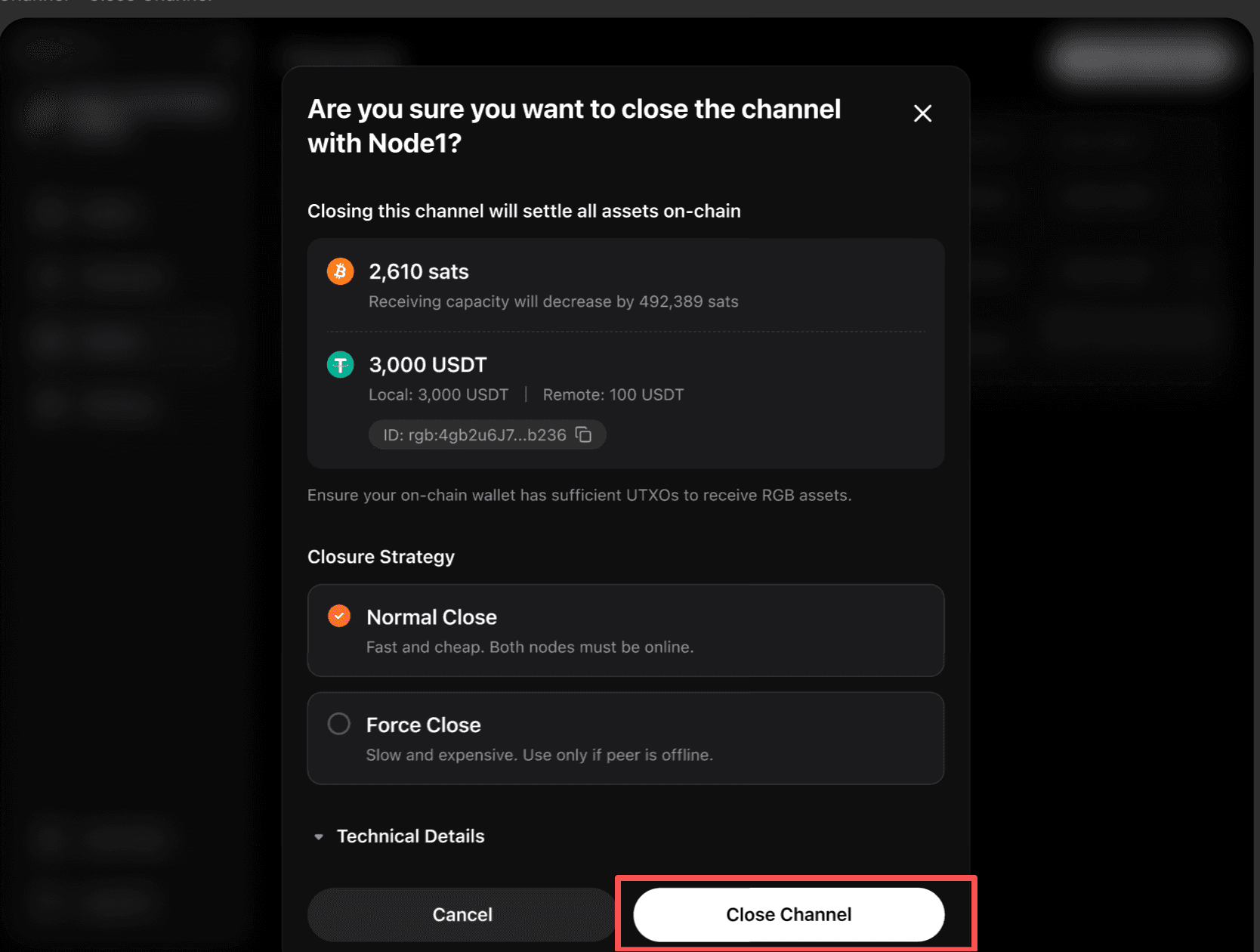
Step 3: Close the Channel and Settle
After the transfer is complete, close the channel and settle the balance back to the node’s on-chain wallet.
-
Go to Channels.
-
Open the corresponding channel details and click Close.
-
After closing the channel, wait a few minutes and refresh the page to view the updated on-chain balance, Lightning balance, and RGB asset status.